 RePass Cloud
My Little CRM
Keep your own record of the calls, emails and letters you have with companies and people: who you spoke with, what was said, and what they promised. It needs no account and no network connection, and your records stay on your device.
- Version
- v1.1.0
- Platforms
- Android, macOS, Windows, plus a web demo
- Price
- Free, MIT licence
- Changes
- Release notes
Your side of the conversation, written down
Important conversations get scattered across phone calls, emails, chats and letters. When a promised callback never comes or a refund goes missing, your own dated notes are what help you follow it up. My Little CRM is made for personal, at-home use.
Where it earns its keep
- Calls with your energy provider, bank, insurer or landlord
- Chasing refunds and promised callbacks on time
- Keeping reference, ticket and case numbers in one place
- A dated history to attach to a complaint
Features
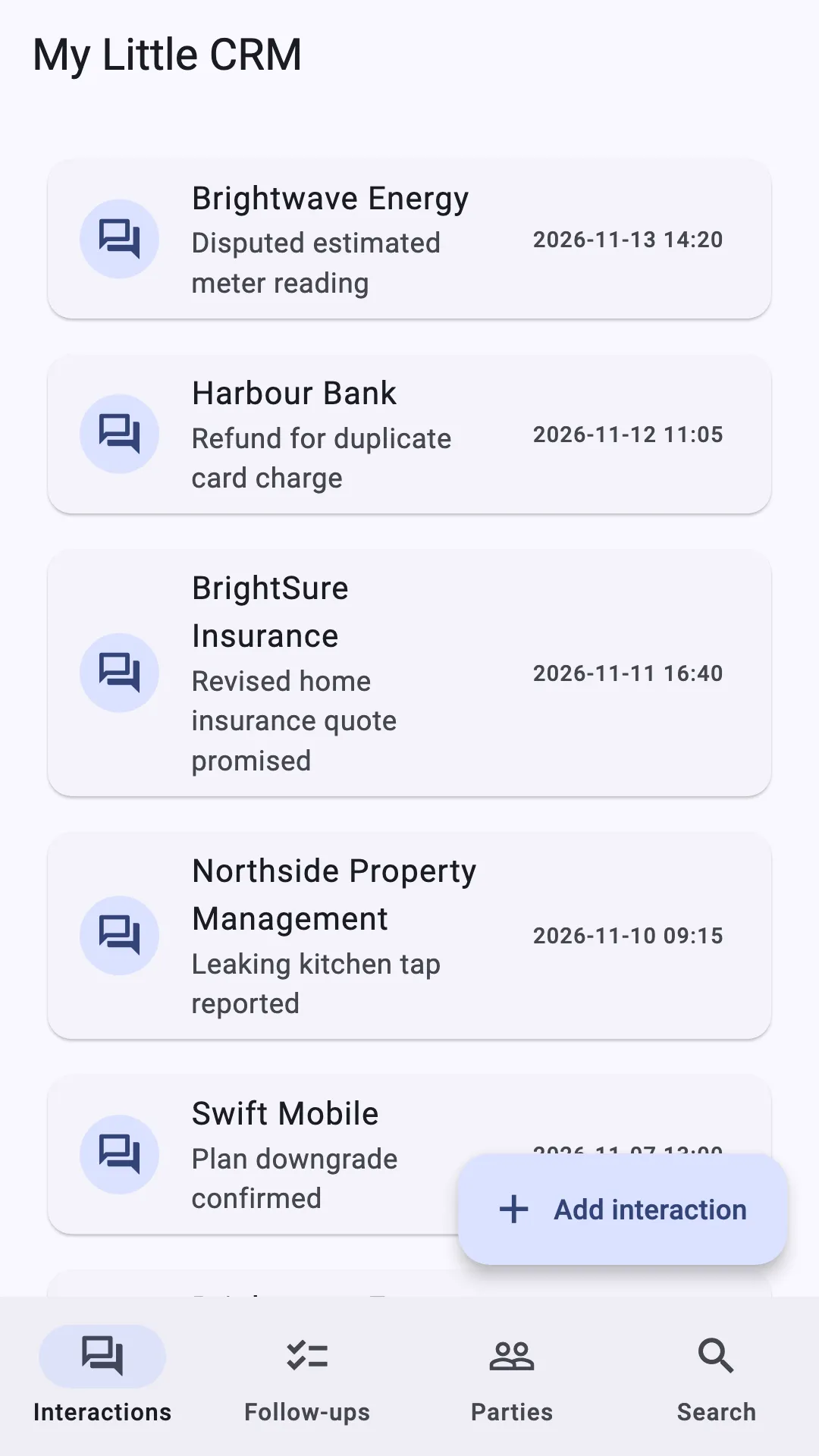
- Record interactions
- The company or person, how you were contacted, the date and a summary, plus optional contact name, reference numbers, commitment and follow-up.
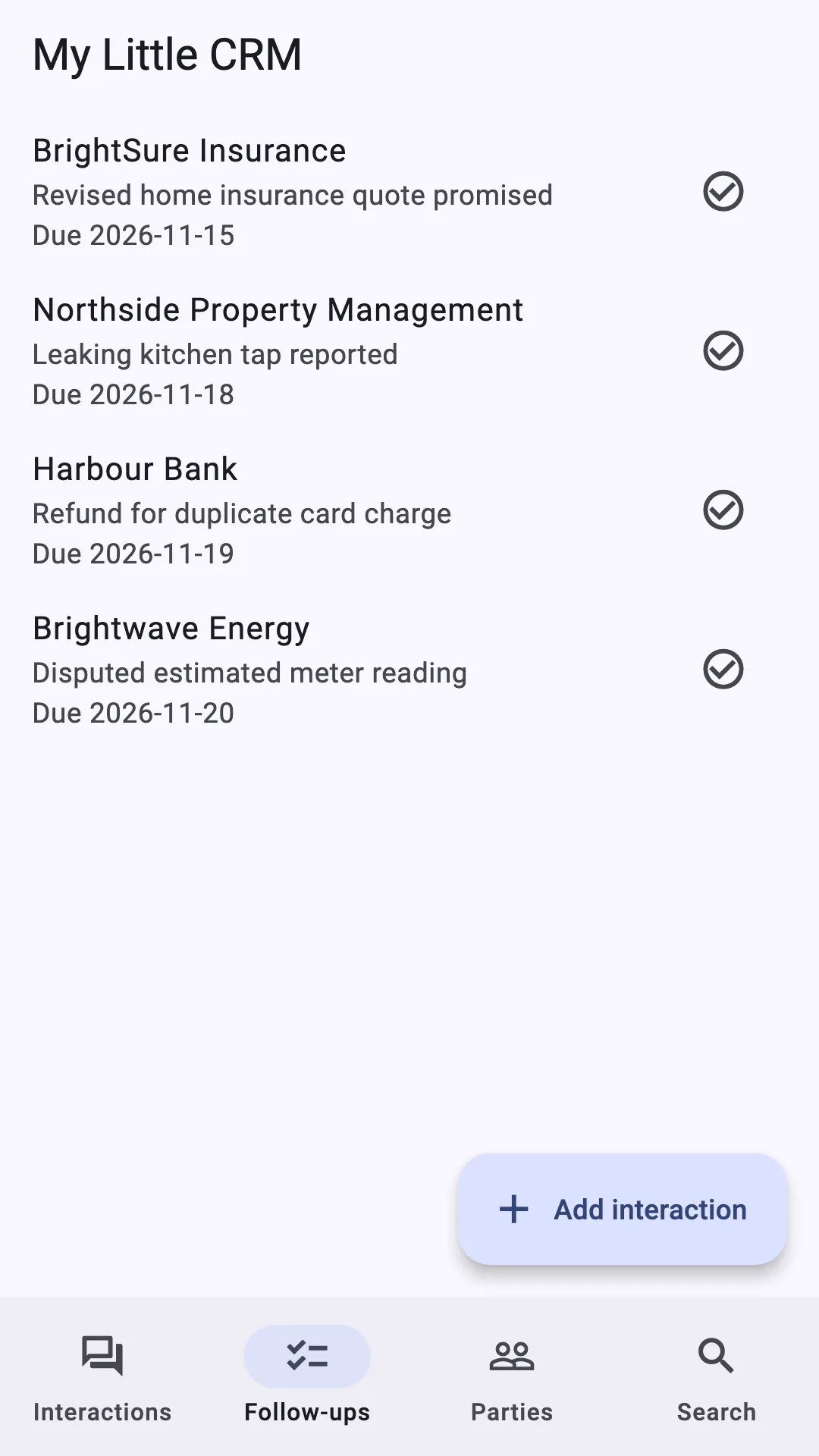
- Follow-ups
- Set a due date, and optionally a time. Outstanding follow-ups are grouped into Overdue, Due today and Upcoming, with an overdue count in the navigation.
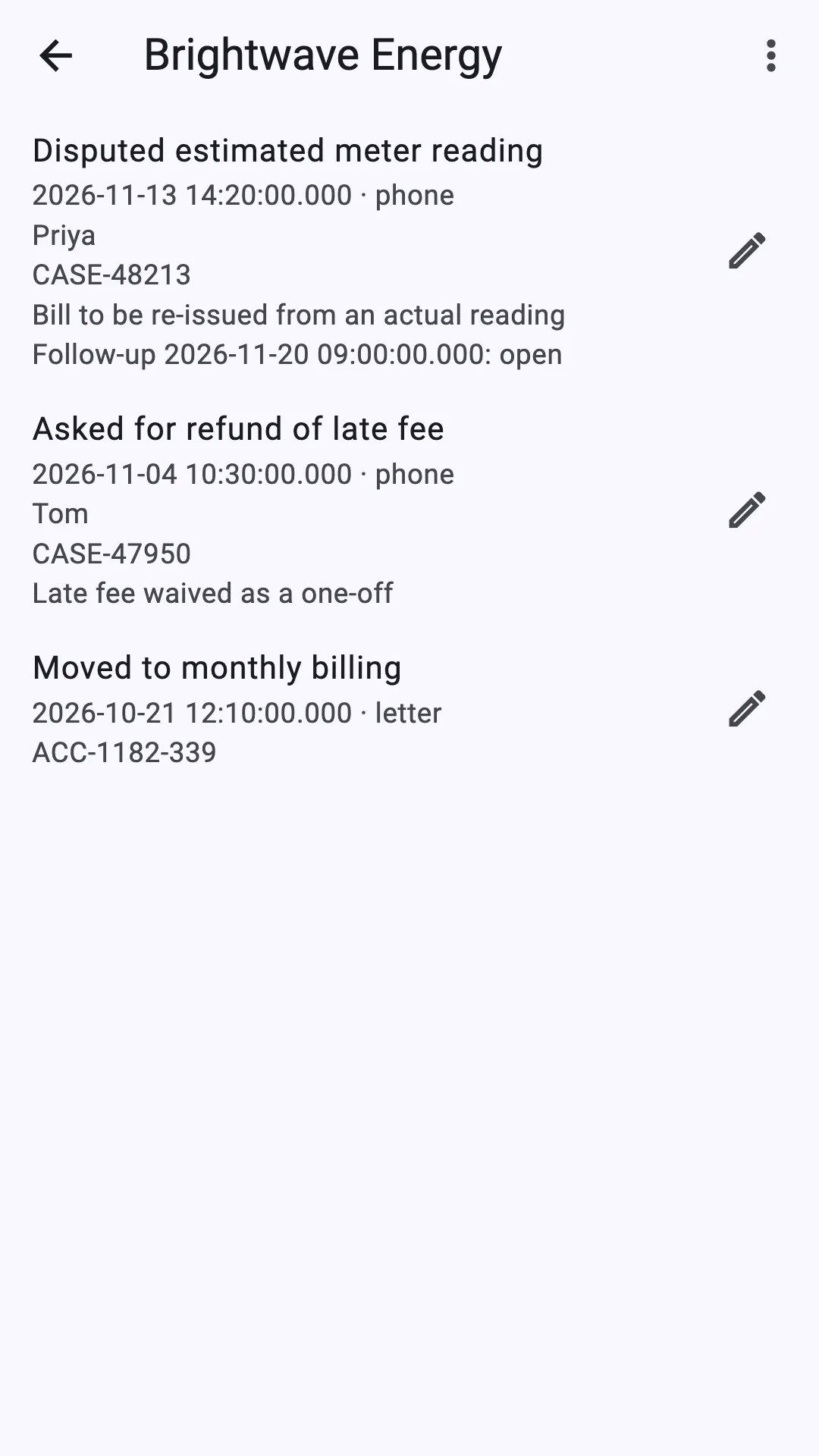
- Party histories
- Every interaction with a company or person in one newest-first history. Rename a party, merge a duplicate into another, or delete it.
- Search
- Find notes, names, contacts and reference numbers. Results open the matching interaction directly.
- PDF and JSON export
- Export a party’s full chronological history as a PDF to print or attach to a complaint, or as JSON for your own records.
- Move to a new device
- Export everything to one versioned JSON file and import it into an empty ledger on another device. The app tells you the file isn’t encrypted before saving.
- Phone, tablet and desktop
- A navigation rail on tablets and desktop windows, with lists and details side by side when there’s room.
- Fast with big ledgers
- The home list loads 50 interactions at a time. With 50,000 interactions, the first page loads in under a millisecond.
A look inside
Phone screens, shown with fictional sample data.
Try it in your browser
The web demo is the full app, built from the same code as the downloads. It opens with a ledger of fictional sample data, so you can see how it works before you install anything.
- Always current. The demo is updated with every published release, so it’s always the latest version.
- Sample data included. Interactions, follow-ups and party histories are already filled in to explore.
- Nothing is stored. Add, edit or delete what you like; your changes aren’t saved and are gone when you close or reload the page.
- No sign-up. It runs in your browser and needs JavaScript and WebAssembly.
Use the demo to look around, not to keep records. For your own notes, download the app for your device.
Private by design
Your records live in a SQLite database in the app’s own storage on your device. Recording, search, follow-ups and exports all work offline.
- No account or sign-up
- Works fully offline
- Your data stays on your device and is never uploaded
- No ads, no analytics, no tracking
Worth knowing
Exports, including Export everything, are readable files, not encrypted backups. Keep them somewhere you trust. If you save one to a cloud folder, that provider holds a copy.
Not included yet: an app PIN or biometrics, encrypted backup and restore, notifications, calendar export, attachments and cloud sync. App-level database encryption is planned for a later security release; until then your device’s own security protects the local database.
The My Little CRM privacy policy sets this out in full.
Platform support
One Flutter codebase, with release builds published for three platforms so far and a web demo.
| Platform | Status | Details |
|---|---|---|
| Web | Live demo | Runs in your browser at my-little-crm-demo.repasscloud.com with sample data. Always the latest published version; nothing you enter is saved. |
| Android | Release build | APK attached to each GitHub release. Automatic cloud backup and device-transfer extraction of app data are turned off. |
| macOS | Release build | Zipped app bundle attached to each GitHub release. Integration-tested in CI. |
| Windows | Release build | Zipped x64 build attached to each GitHub release. |
| Linux | Build from source | Desktop GTK build. Integration-tested in CI; no release build yet. |
| iOS | Build from source | Builds with Xcode on macOS; no release build yet. |
Download
v1.1.0 builds are published on GitHub, each with a SHA-256 checksum file. My Little CRM is free and open source under the MIT licence ↗. Use of the app is also covered by the My Little CRM terms of service and privacy policy.
Installing on Android
- Download the APK on your phone.
- When asked, allow your browser or file manager to install unknown apps.
- Open the file and tap Install. Play Protect may warn about an unknown developer; that’s expected for apps installed outside Google Play.
- Download for Android
Android
APK for phones and tablets · SHA-256 checksum for Android
- Download for macOS
macOS
App bundle in a zip archive · SHA-256 checksum for macOS
- Download for Windows
Windows
x64, in a zip archive · SHA-256 checksum for Windows
Older versions and checksums: all releases on GitHub ↗
Build from source
git clone https://github.com/danijeljw-RPC/my-little-crm.git
cd my-little-crm
flutter pub get
flutter run -d macos   # or ios, android, windows, linux
Release notes
- Read the v1.1.2 notes
v1.1.2
Try My Little CRM in a browser: a disposable WebAssembly demo.
- Read the v1.1.1 notes
v1.1.1
A printable report of the whole ledger, plus maintenance.
- Read the v1.1.0 notes
v1.1.0
Record management, a desktop and tablet layout, and a full export for moving to a new device.